


Set up the XINBAI C2 for autofocus photography and LED-assisted shooting. This guide covers battery and card preparation, image settings, file transfer and USB webcam use, followed by the technical specifications.
Install and Format the Card
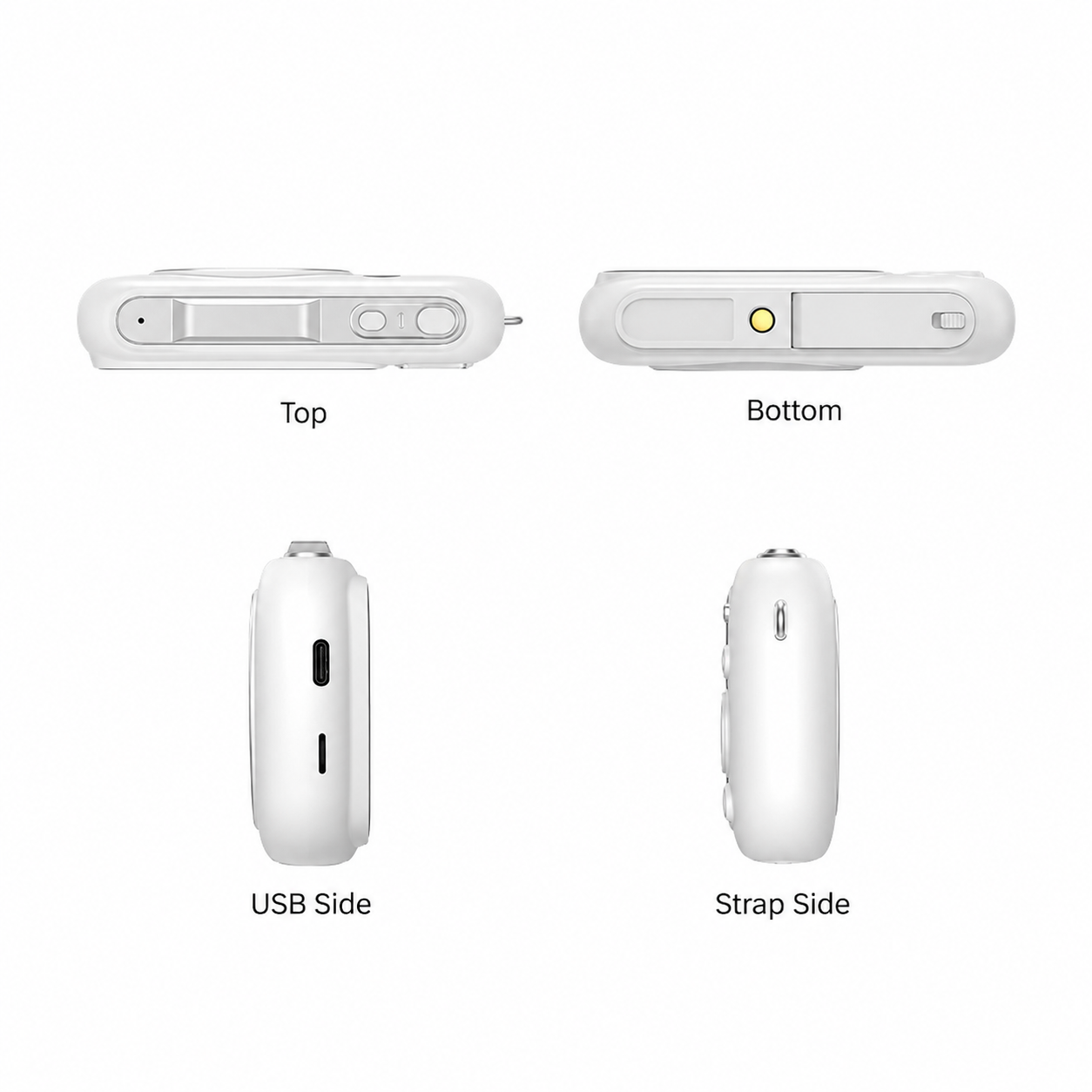
Switch off and install the removable battery in the bottom compartment. Insert a Class 10 TF / microSD card up to 256GB until it clicks. Back up files before formatting: MENU, Right, Settings, Format, Confirm. Push the card inward to eject it.
Charge and Set Up
Charge with the camera off through Type-C. The red indicator turns off when full. A complete charge from empty takes approximately 3 hours. Photo-mode working time is approximately 1.5 hours at factory-default system settings. An optional dual-slot charger shows red while charging and blue when full. Short-press Power to turn on and hold to switch off. Set language, date/time and frequency in Settings.

Focus and Take Photos
Use OK/MODE to select Normal Photography. Half-press Shutter until the green focus box appears, then press fully to capture. T/W controls digital zoom. The filter button opens effects; Up opens flash selection, Right opens photo-timer selection, Left opens continuous-shot selection and Down deletes selected files in playback. Photo sizes above 13MP are interpolated.
Record Video and Review Files
Choose Normal Recording, focus on the subject and press Shutter to start or stop video. Video choices are 5K,4K,2.7K,1080P and 720P. Separate modes provide slow motion, loop recording and time-lapse. Press Playback and browse with Left/Right; OK plays video. In enlarged photo playback, arrow keys pan the image. DISP cycles the default display, grid, icon-free display and screen-off options.
Adjust Image Settings
MENU in photo or video mode provides white balance, scene modes, colour effects, exposure, metering, sharpness, quality, ISO and time watermark. ISO ranges from Auto to 6400, with exposure settings from−3 to+3. Select LED flash for photos and use fill light for video when supplementary illumination is needed.
Copy Files and Use USB Webcam
Power on and connect Type-C to a computer. Choose Mass Storage Mode to copy recorded files. Do not disconnect during transfer. Choose PC Camera and select the USB video device in compatible camera or streaming software. Power Mode lets the computer supply power, but computer USB power can be slow.
Care and Troubleshooting
Check battery charge, orientation and any insulating sheet if the camera will not start. Reseat the battery and check cable/adapter for charging problems; temperatures below 10°C may cause slow or failed charging. For card errors, check Class 10 speed, capacity no greater than 256GB and correct insertion; back up and format when needed. If frozen, remove and reseat the battery before restarting. Keep the camera away from moisture and impact, clean lens/display with a soft lens cloth and remove the battery for extended dry storage below 30°C.
Technical Specifications
| Model | C 2 |
|---|---|
| Sensor | 13MP CMOS; 1/2.7-inch |
| Photo sizes | 80MP / 64MP / 56MP / 48MP / 36MP / 24MP / 20MP / 16MP / 12MP / 8MP / 5MP; sizes above 13MP are interpolated |
| Video options | 5K at 15fps / 4K / 2.7K / 1080P / 720P |
| Display | 2.8-inch rear screen |
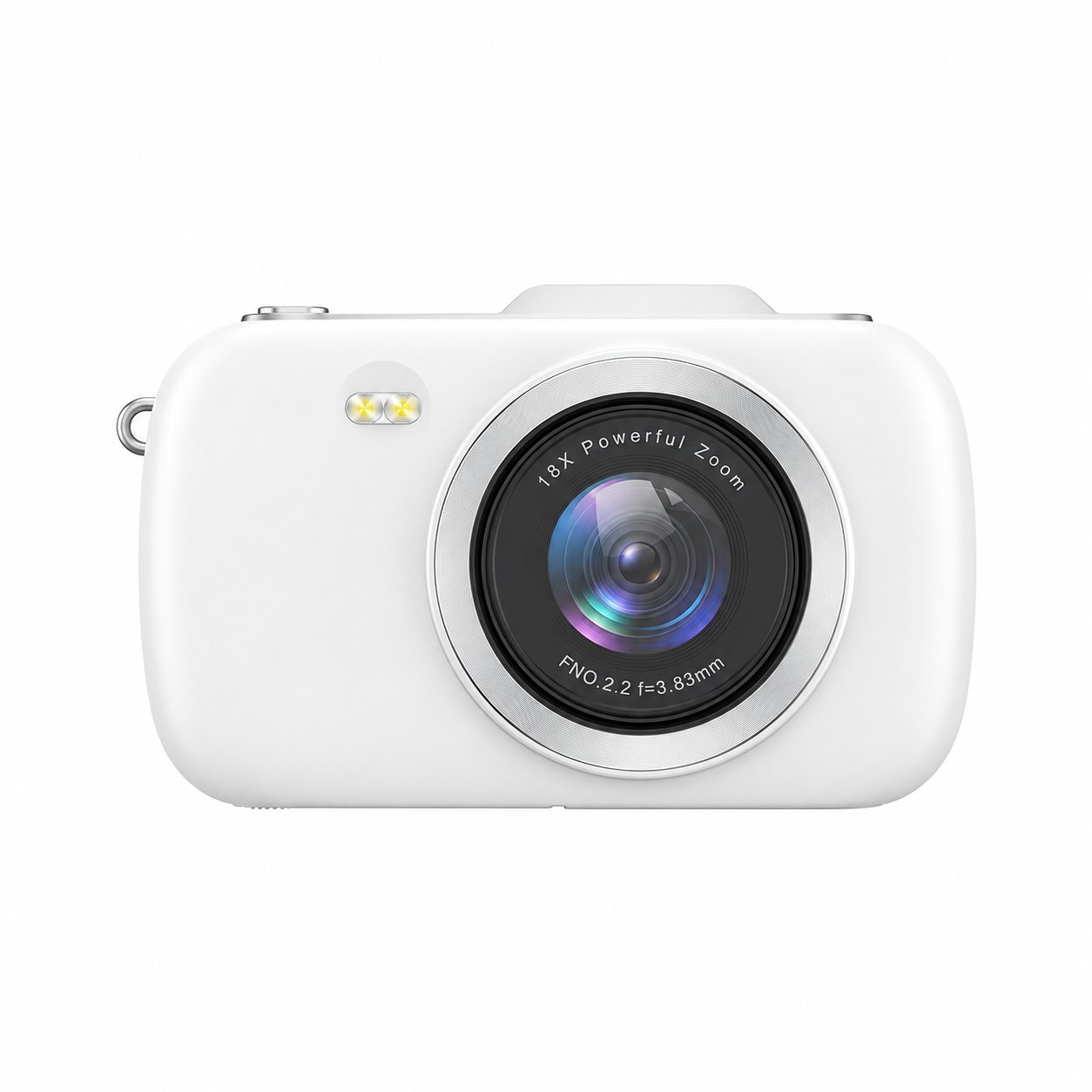
| Zoom | 18× digital zoom; no optical zoom |
| Lens | F 2.2; focal length 3.83mm |
| Focus | Half-press shutter autofocus |
| Stabilization | Electronic image stabilization |
| Modes | Normal Video / Normal Photo / Slow Motion / Loop Recording / Time-lapse / Automatic Photo / Continuous Photo / Timed Photo |
| White balance | Auto / Sunny / Cloudy / Incandescent / Fluorescent; photo and video |
| Scene modes | Normal / Blue Sky / Green Plants / Night View / Portrait; photo and video |
| Colour effects | Color / Gray / Negative / Antique / Red / Green / Blue / Dog Eyes; photo and video |
| Exposure | +3 / +2 / +1 / 0 / −1 / −2 / −3; photo and video |
| Metering | Average / Center / Spot / Matrix; photo and video |
| Sharpness | Low / Middle / High; photo and video |
| Quality | Photo: Low / Middle / High; Video: Low / Middle / High |
| ISO | Auto / 100 / 200 / 400 / 800 / 1600 / 3200 / 6400; photo and video |
| Time watermark | On / Off; photo and video |
| Flash / fill light | Built-in LED; flash in photo mode and fill light for video; photo Flash Lamp On / Off |
| Video recording settings | On / Off |
| Storage | TF / microSD up to 256GB; Class 10 recommended; format before first use after backup |
| Battery | Removable rechargeable lithium-ion battery in bottom compartment |
| Charging | Type-C charging with camera off; red on during charging and off when full; approximately 3 hours from empty |
| Optional battery charger | Dual-slot charger sold separately; red charging indicator, blue when full |
| Working time | Approximately 1.5 hours in photo mode at factory-default system settings |
| USB modes | Power Mode / Mass Storage Mode / PC Camera; USB webcam through compatible computer software |
| Dimensions | 110 × 24.6 × 67.5mm |
| Camera net weight | 200g |
| Housing / colours | ABS; White / Pink |
| Beep level | Mute / Low / Middle / High |
| Frequency | Auto / 50Hz / 60Hz |
| Screen saver | Off / 1 / 3 / 5 minutes |
| Auto power off | Off / 3 / 5 / 10 minutes |
| Languages | English / Simplified Chinese / Traditional Chinese / Japanese / French / German / Italian / Spanish / Hebrew / Russian / Korean / Thai / Portuguese |
| Date and time | Year / Month / Day / Hour / Minute / Second; YY/MM/DD / MM/DD/YY / DD/MM/YY |
| System tools | Format Confirm / Cancel; Factory Reset Confirm / Cancel; software version information |
| Display / shortcuts | Default display / Nine Grid / Full Screen Without Icons / Screen Off; dedicated filter and playback buttons; timer and continuous-shot shortcuts |
| Mount / carrying | External bracket mounting interface and strap hole |
| Care | Protect from rain and moisture; remove battery for extended storage in dry, dust-free conditions no higher than 30°C |
| Package | Camera, data cable, battery, cleaning cloth, manual, wrist strap and pouch |
Related Product
View the C2 Compact Digital Camera with Autofocus for product features and configuration enquiries.
